Lifecycle
Each component goes through a series of steps — being created, mounted into the DOM, updated, and destroyed. Lifecycle hooks let you run code at each of these stages.
| Hook | Timing |
|---|---|
mounted | Runs when a parent mounts the component or calls the instance $mount method. |
destroyed | Runs when a parent destroys the component or calls the instance $destroy method. |
updated | Runs when a parent updates the component or calls the instance $update method. |
terminated | Runs when code calls the instance $terminate method. |
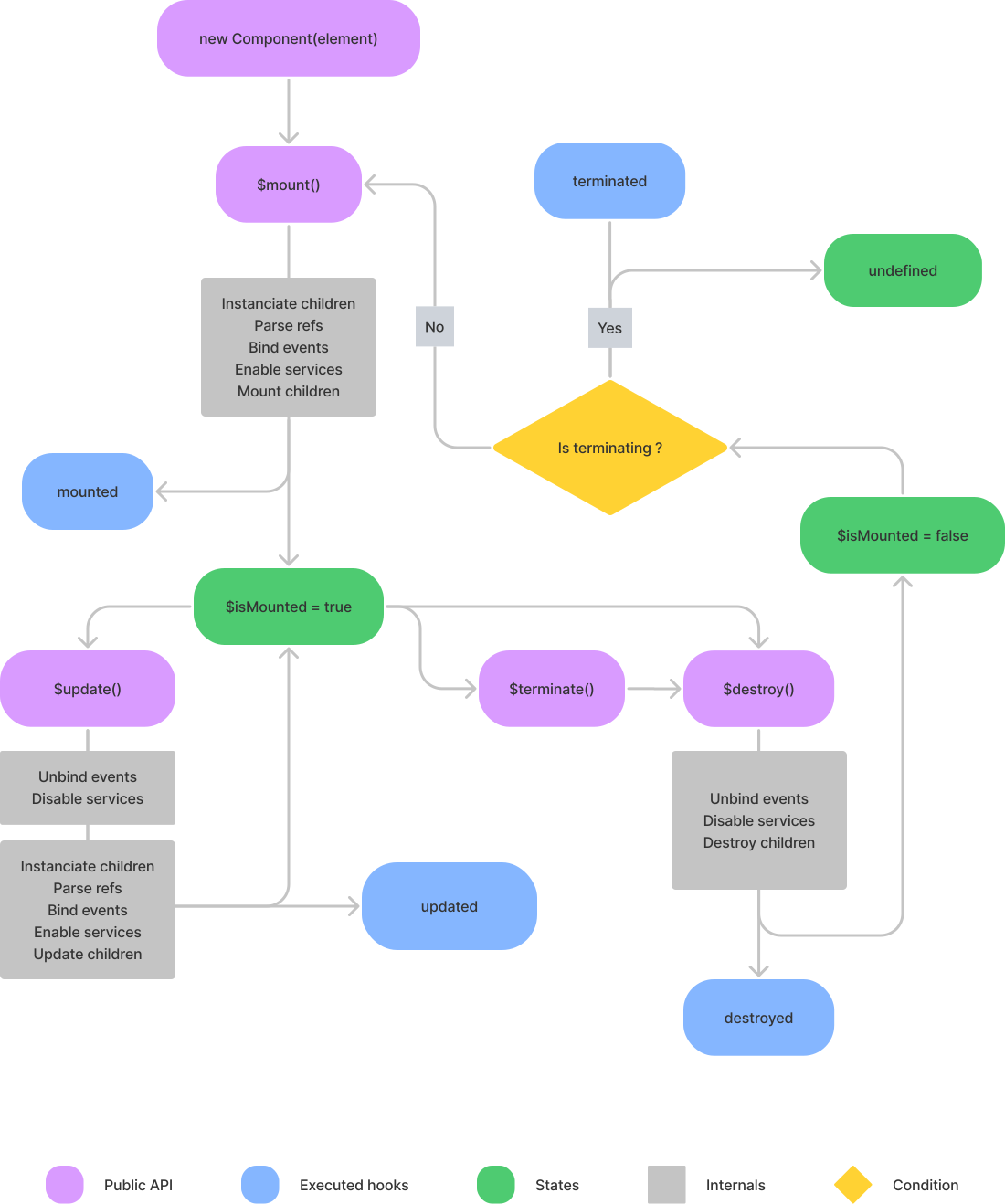
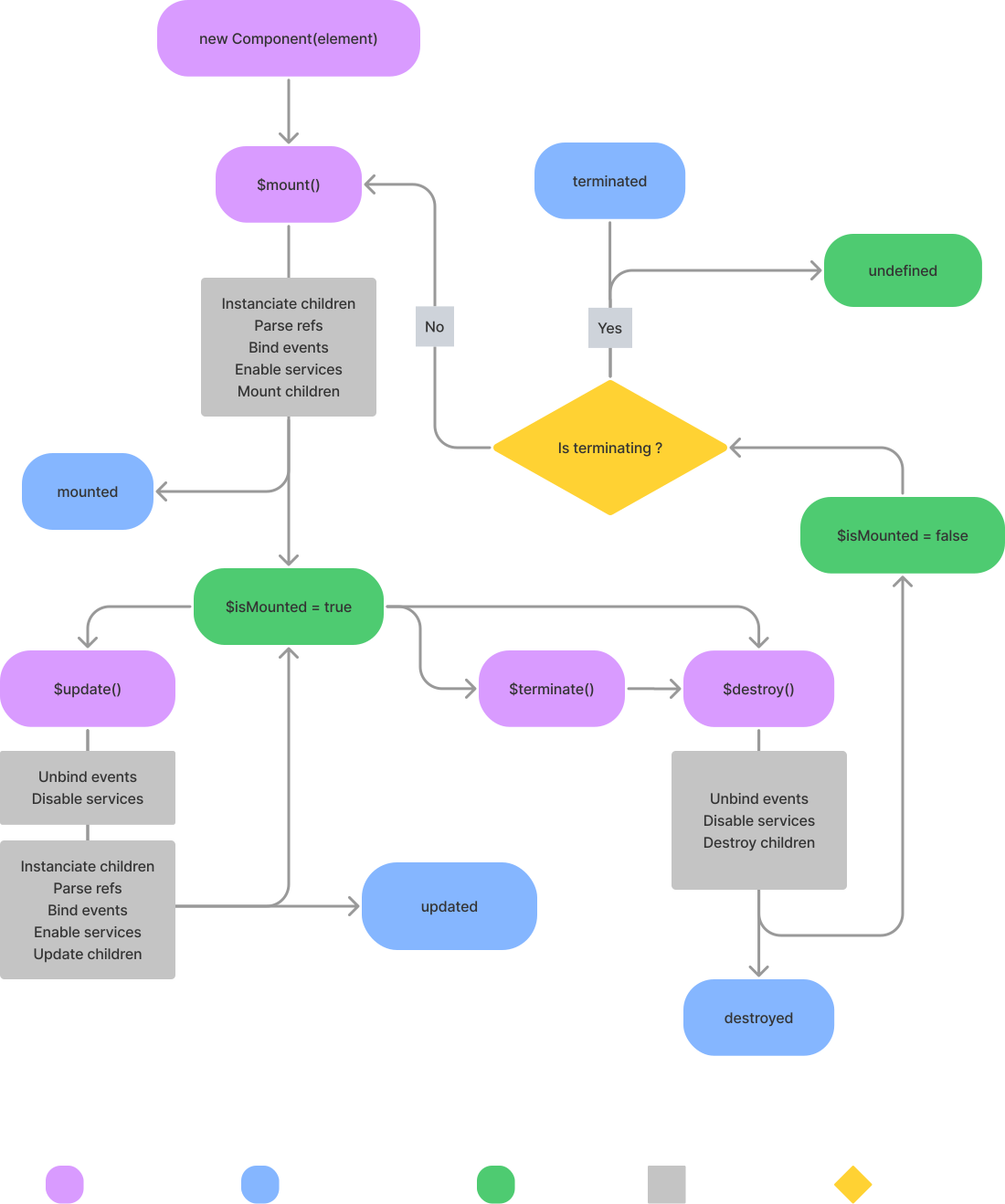
The lifecycle hooks diagram below presents in greater detail how these hooks work together.
Using lifecycle hooks
To use a lifecycle hook, declare it as a method of your class. js-toolkit calls it automatically at the right time.
js
import { Base } from '@studiometa/js-toolkit';

export default class Component extends Base {
  static config = {
    name: 'Component',
    log: true,
  };

  mounted() {
    this.$log('mounted');
  }

  updated() {
    this.$log('updated');
  }

  destroyed() {
    this.$log('destroyed');
  }

  terminated() {
    this.$log('terminated');
  }
}
When extending an existing component, do not forget to call the parent component hook methods via the super keyword:
js
import Parent from './Parent.js';

export default class Child extends Parent {
  static config = {
    name: 'Child',
  };

  mounted() {
    super.mounted(); // call the parent method
  }
}
Lifecycle hooks diagram
See also: Lifecycle hooks