Services
Components often need to react to browser events like scroll, resize, pointer movement, or keyboard input. Services provide a shared, optimized way to handle these — a single listener per event type, shared across all components that need it.
The following services are exported by the @studiometa/js-toolkit package:
useDragto implement drag behaviour with inertiauseScrollto implement behaviour on scroll (throttled)useResizeto implement behaviour on window resize (debounced)useRafto implement loop behaviour withrequestAnimationFrameusePointerto implement behaviour reacting to the user pointer (mouse or touch)useKeyto implement behaviour reacting on keyboard interactionuseLoadto implement behaviour on page load
Usage
As class methods
Services can be used via predefined class methods (called services hooks) when extending the Base class. They will be automatically enabled when the component is mounted if the method is defined or if a listener has been added to its corresponding event.
The following service hooks and events are available:
scrolledfor theuseScrollserviceresizedfor theuseResizeservicetickedfor theuseRafservicemovedfor theusePointerservicekeyedfor theuseKeyservice
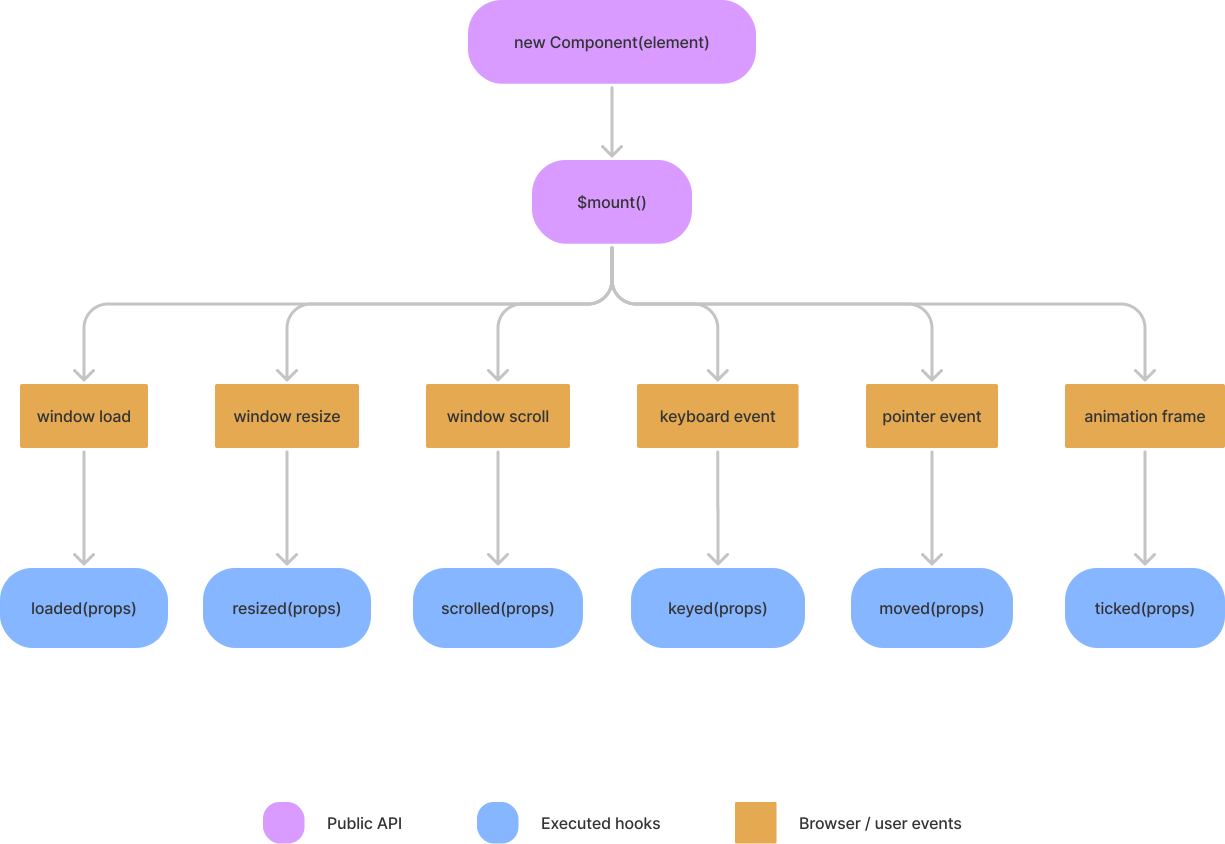
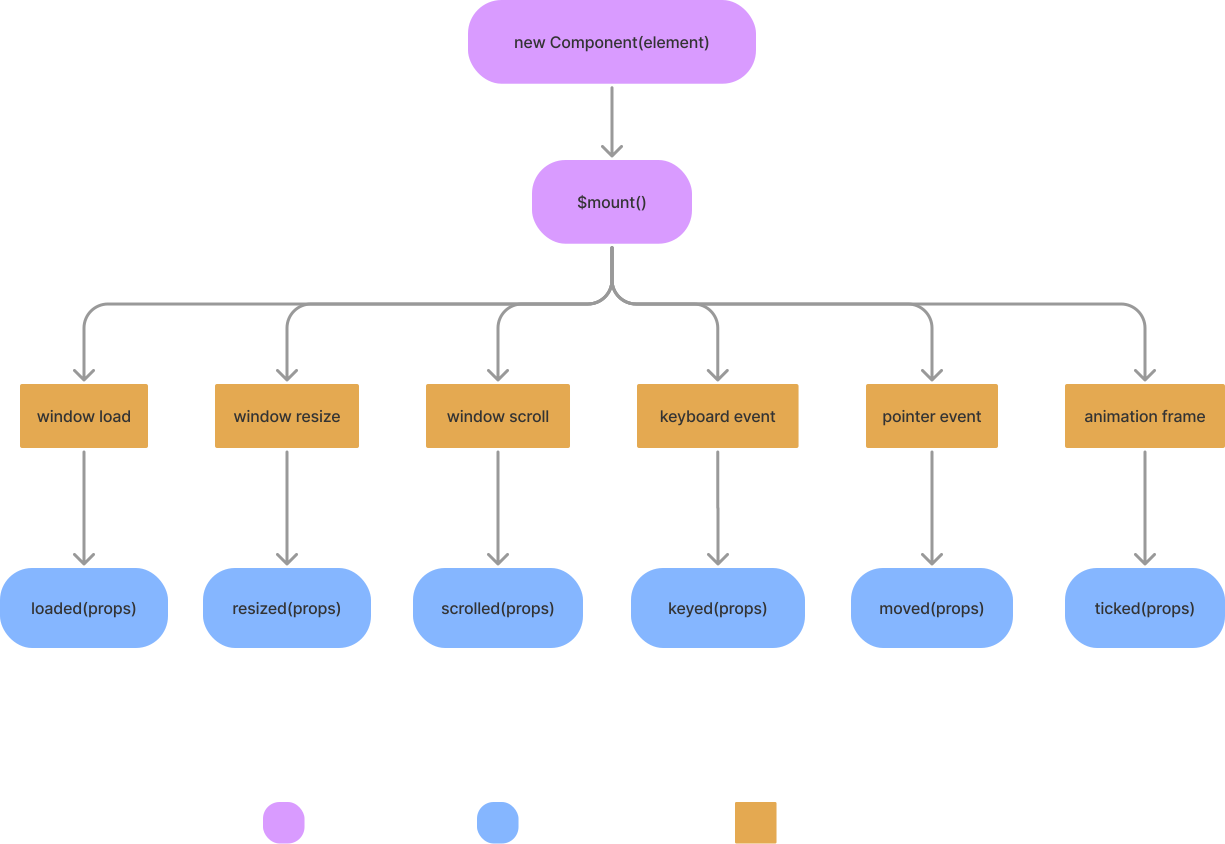
The services hooks diagram below presents in greater detail what action triggers a service method.
Using a service via its reserved method name
import { Base } from '@studiometa/js-toolkit';

class Component extends Base {
  static config = {
    name: 'Component',
  };

  scrolled(props) {
    if (props.changed.y) {
      console.log('User is scrolling vertically.');
    }
  }
}
Using a service via its corresponding event
import { Base } from '@studiometa/js-toolkit';

class Component extends Base {
  static config = {
    name: 'Component',
  };

  mounted() {
    this.$on('scrolled', (props) => {
      if (props.changed.y) {
        console.log('User is scrolling vertically.');
      }
    });
  }
}
Best practice
Services should always be used via the method API. The event API targets library authors.
Standalone
Services can be used outside of a Base class by importing the use<Service> functions from the package. Each use<Service> function will return an object containing the following:
- an
add(key, callback)function to add a new callback to the service - a
has(key)function to test if the given key matches an added callback - a
remove(key)function to remove a callback by its key - a
props()function returning the properties of the service
For example, to do something when the user scrolls, you can use the "scrolled" service and its useScroll() function:
import { useScroll } from '@studiometa/js-toolkit';

const scroll = useScroll();
const key = 'some-uniq-key';

// Add a callback for the service
scroll.add(key, (props) => {
  // The `props` parameter is the same object
  // returned by the `service.props()` method
  console.log(props.y === scroll.props().y);

  if (props.changed.y) {
    console.log('User is scrolling vertically.');
  }
});

// Test if the callback already exists or not
console.log(scroll.has(key)); // true

// Remove the callback
scroll.remove(key);
The service properties can also be destructured for simplicity:
const { add, remove, props, has } = useScroll();Enabling/disabling a service
By default, if a service is used either via a class method or via an event, it will be enabled when the instance is mounted and will not be disabled until the instance is destroyed. This can sometimes be counterproductive for many reasons: performances, one-time behaviours, etc.
Services in a Base instance are managed by a ServicesManager available with the $services property. This manager can help you manage which service is running or not.
For example, to toggle the scroll service only when a button has been clicked:
import { Base } from '@studiometa/js-toolkit';

class Component extends Base {
  static config = {
    name: 'Component',
    refs: ['btn'],
  };

  onBtnClick() {
    this.$services.toggle('scrolled');
  }

  scrolled() {
    console.log('The scrolled service is enabled!');
  }
}
Services hooks diagram
See also: Service hooks · Services API · $services
What's next
You now know the fundamentals. Here are some paths to explore:
- Lazy imports — lazy loading and code splitting
- Decorators — extend components with higher-order patterns
- TypeScript — type-safe components and refs
- Examples — real-world UI patterns
- Concepts — design philosophy and architecture